WorldRadio
A standalone internet radio application that streams 50,000+ stations from every corner of the globe. Vintage radio cabinet UI, real-time audio visualization, an interactive world map, and on-device AI transcription with live translation.
Overview
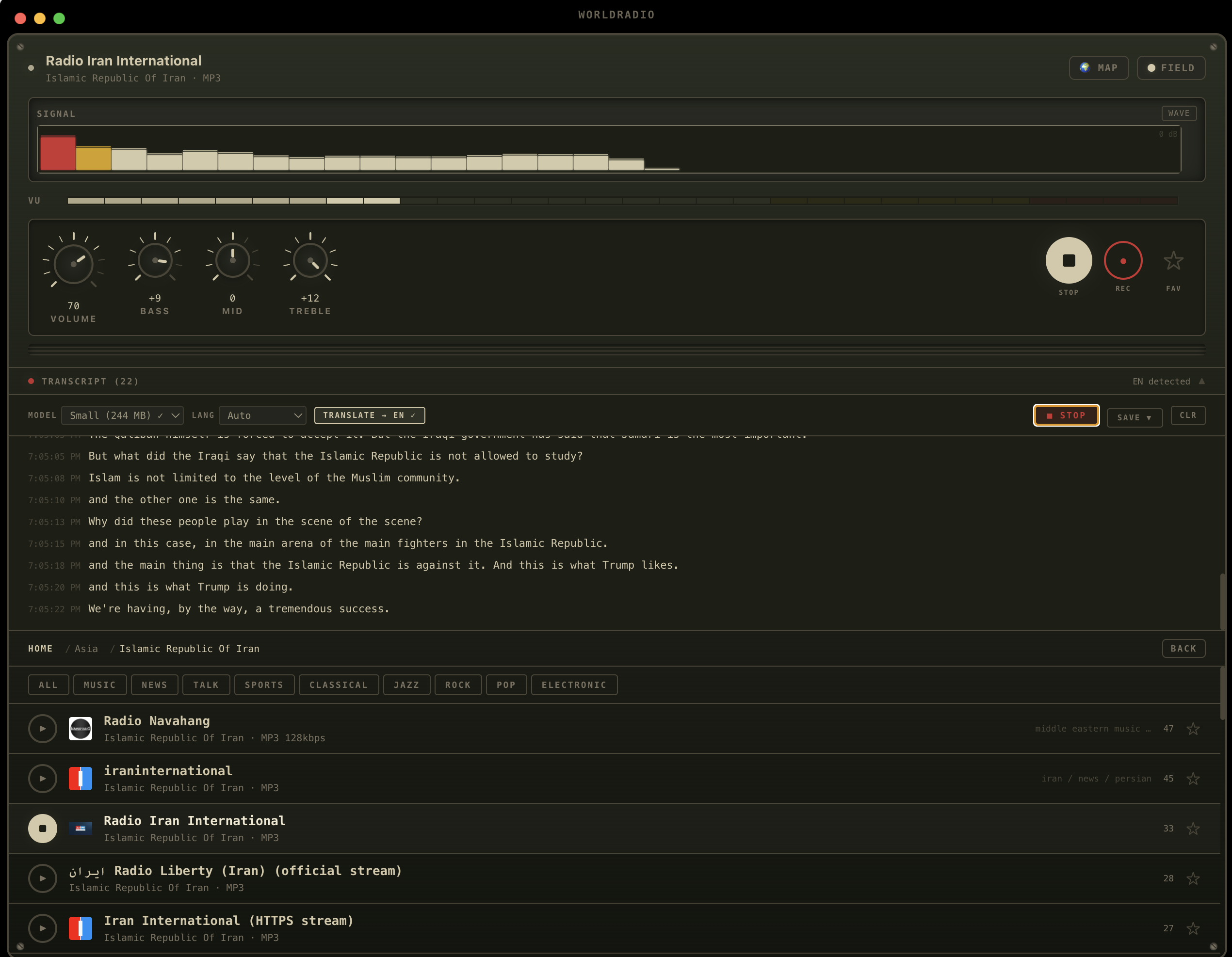
WorldRadio is a standalone Electron application for macOS that catalogs over 50,000 verified stations across 238 countries and 608 languages. The entire station database ships with the app for instant offline browsing.
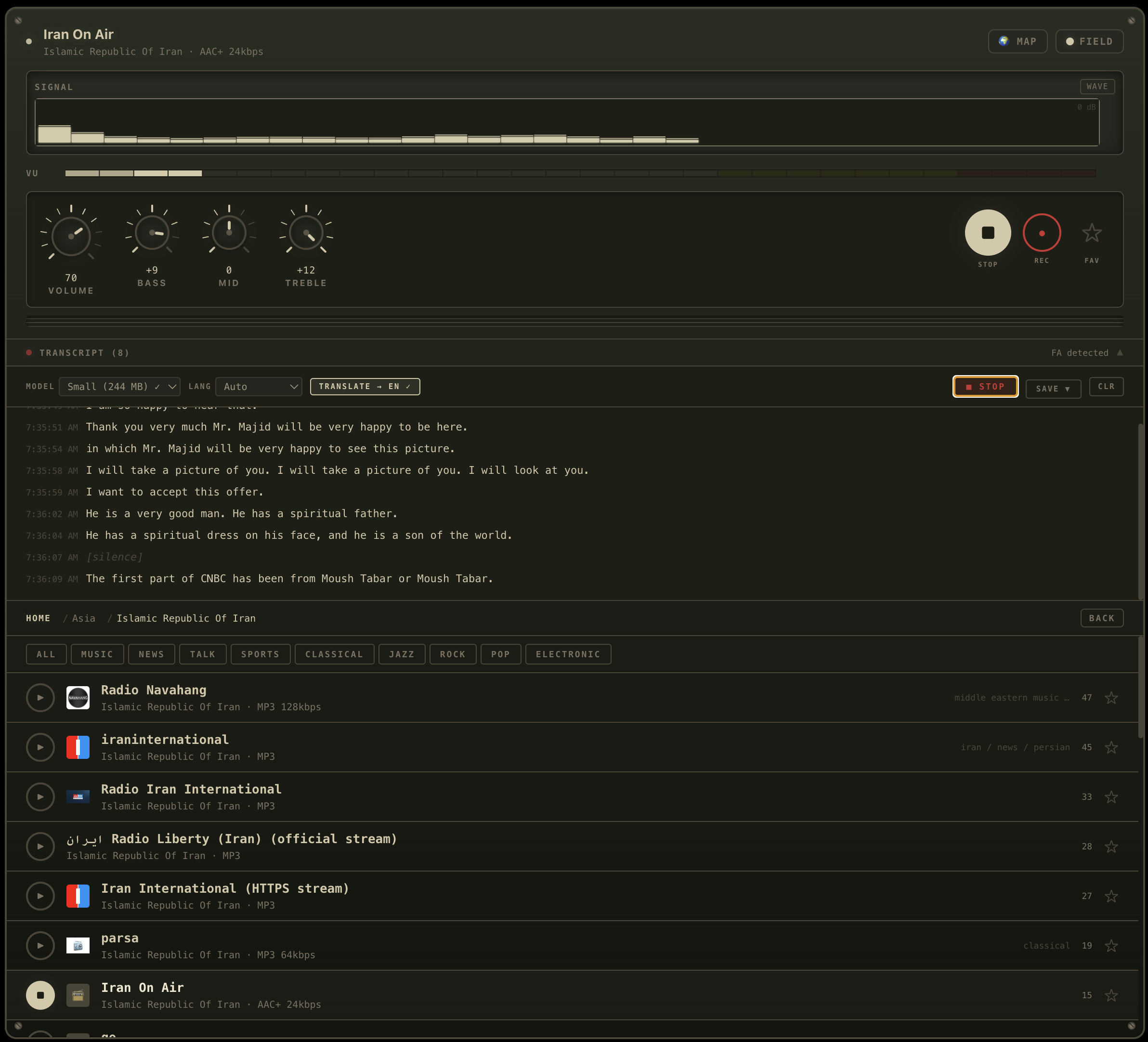
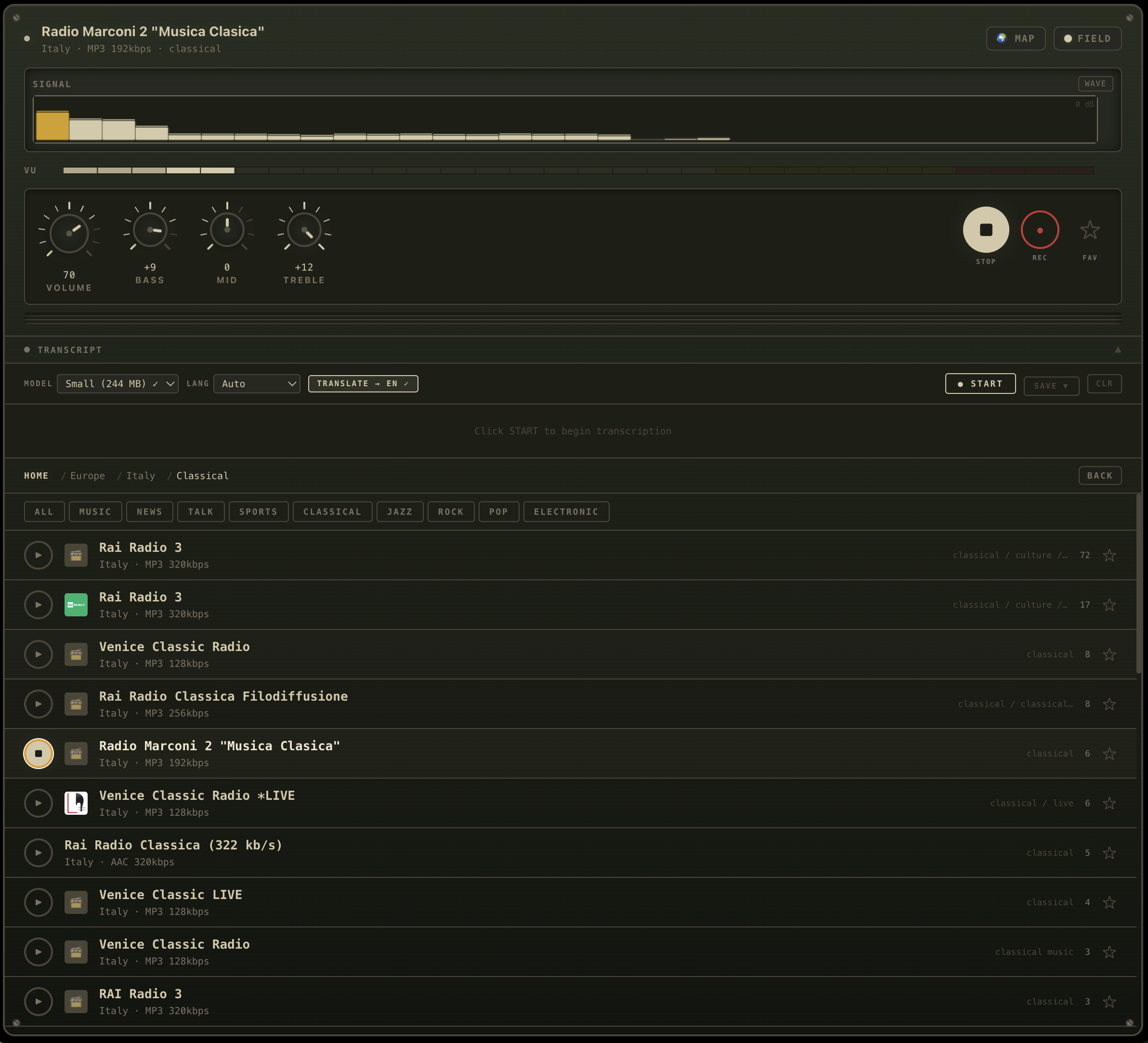
The interface is designed around a vintage radio cabinet aesthetic with physical-feeling rotary dials for volume, bass, mid, and treble EQ. A real-time frequency analyzer and waveform oscilloscope respond to the live audio stream through the Web Audio API processing chain.
Nine color themes transform the entire interface, from the cabinet frame and dial indicators to the VU meter colors and world map overlays.
Features
Rotary EQ Controls
Drag-to-rotate dials for Volume, Bass (200Hz), Mid (1kHz), and Treble (4kHz) powered by Web Audio API BiquadFilter chain.
Real-Time VU Meter
32-band frequency analyzer and waveform oscilloscope with peak-hold level meter. Canvas-rendered at 60fps with theme-reactive colors.
Interactive World Map
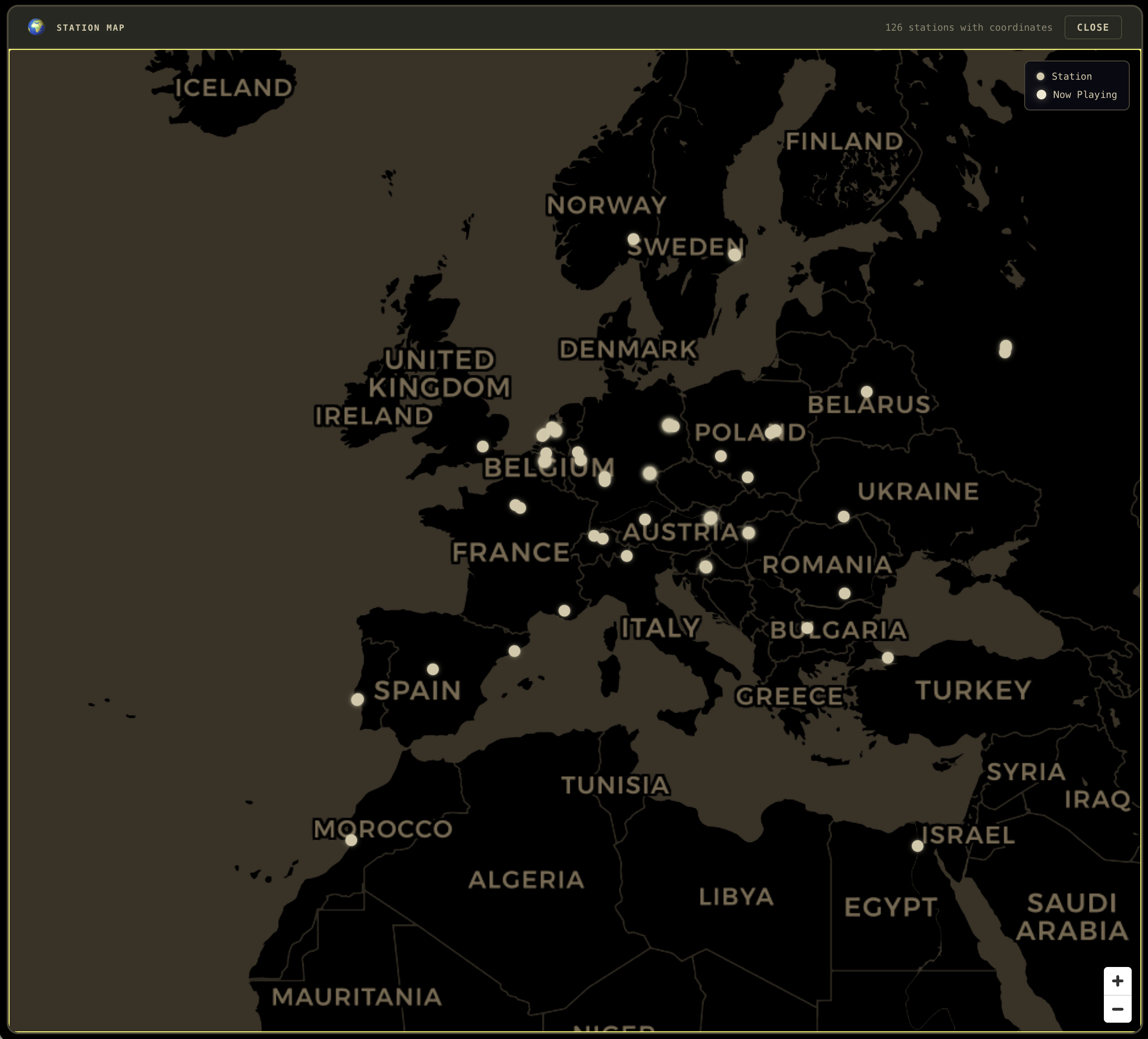
All 53,000+ stations rendered via WebGL with heatmap density, numbered clusters, and individual station dots. Click any station to play.
AI Transcription & Translation
On-device speech-to-text via whisper.cpp (90+ languages). Enhanced version adds TranslateGemma 4B for high-quality bidirectional translation.
Transcript Export
Save transcripts as TXT, SRT (subtitles), or JSON. Copy to clipboard. Auto-persist to SQLite with full transcript history.
9 Color Themes
Green, Amber, Blue, White, C2-Blue, DEFCON, Tactical Night, Modern Dark, and Field Manual. Each transforms the full UI.
Offline Database
50,000+ stations bundled in local SQLite with FTS5 search. Browse by continent, country, or genre. Works fully offline.
Stream Recording
Record live radio streams via MediaRecorder API. Auto-named files with station and timestamp. WebM/Opus format.
Architecture
The application runs as an Electron + React + Vite app with TypeScript throughout. The main process handles SQLite (better-sqlite3), Whisper model management, and native file dialogs. Audio flows through a Web Audio API chain with EQ filters, gain control, an analyser for visualization, and a ScriptProcessor node for PCM capture.
The Enhanced version adds node-llama-cpp for on-device inference with TranslateGemma 4B GGUF models, running on Apple Silicon Metal GPU with all layers offloaded for maximum throughput.
Getting Started
Install in 3 steps:
- Download — Click Enhanced DMG (187 MB) or macOS DMG (112 MB) in the nav bar. A Windows build (Beta) is also available.
- Install — Open the
.dmgand drag WorldRadio into Applications (the DMG window points the way) - Launch — Open from Applications. The app is signed and notarized by Apple, so no "unidentified developer" warning.
Your first launch (Enhanced):
- A brief tutorial walks through the radio cabinet controls
- A setup wizard runs system checks (macOS version, Apple Silicon, RAM, disk space, Metal GPU, internet, whisper engine) and shows a status report
- Optional one-click AI download — "Download AI Models (2.1 GB)" fetches Whisper Small + TranslateGemma 4B in the background. You can skip this and download later from the Transcript panel.
- Land in the main UI with 53,000 stations already loaded. No manual database download, no Homebrew, no terminal commands.
Streaming & transcribing:
- Browse by continent, country, or genre — or open the world map to see all 53K stations
- Click any station to stream — adjust Volume and EQ with the rotary dials
- Expand the Transcript panel, click START — Whisper transcribes in the station's native language
- Enable TRANSLATE and pick a target language — TranslateGemma streams bold white English (or your chosen language) below the original
System requirements:
- macOS 12.0 or later (Monterey+)
- Apple Silicon Mac (M1, M2, M3, M4, or M5 recommended; Intel runs but much slower)
- 4 GB RAM minimum (8 GB recommended for Gemma)
- 3 GB free disk space for AI models
- Internet connection for streaming and initial model downloads
No additional software is required. The whisper engine and all its dylibs, the node-llama-cpp native addon with Metal GPU bindings, the 53,000-station database, all audio processing, and the app icon / DMG installer artwork are bundled directly in the .dmg.